
The Sapien platform
Every edition and tool runs on it, under controls your IT and risk teams set: where it runs, which models answer, who sees what and what it may spend.
Request an architecture reviewInside the Sapien platform
Real screens from fin-Sapien, the first edition. Every edition works the same way.

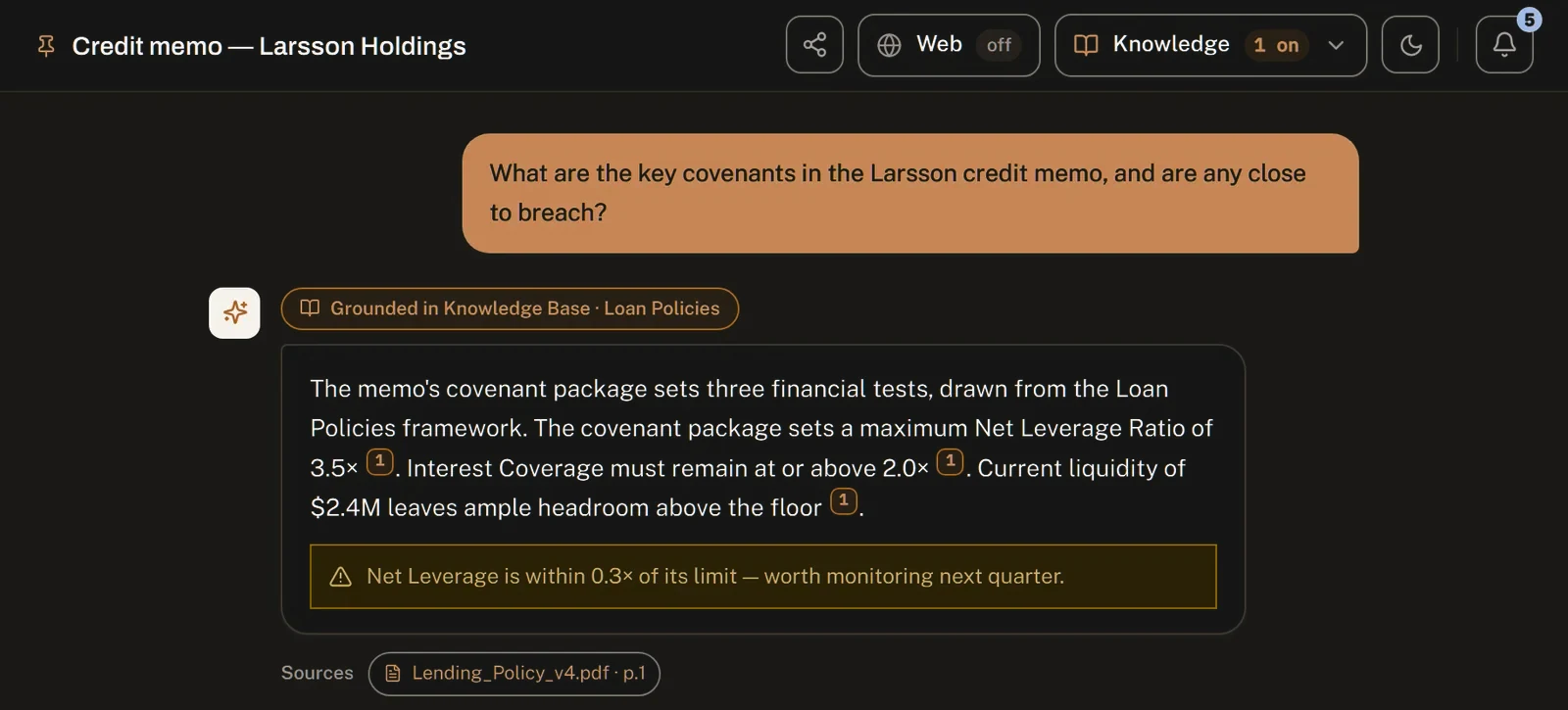

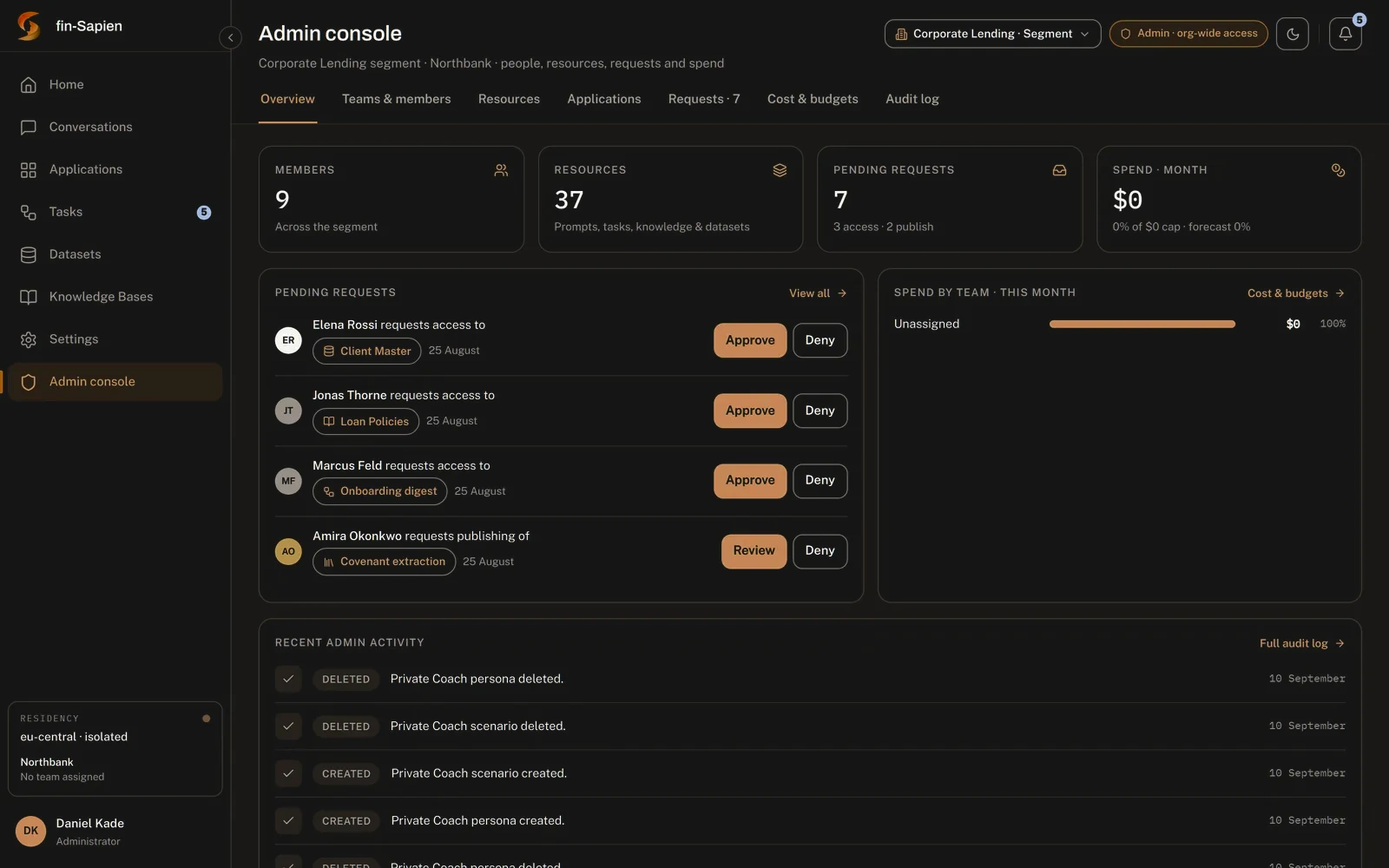
Real screens from fin-Sapien, the first Sapien edition, shown in dark colours, with fictional sample data
What every edition shares
An edition adds an industry’s tools, wording and RM Coach scenarios. The platform underneath is the same.
-
Answers with sources
Grounded answers cite your knowledge bases and datasets, down to the passage.
-
Knowledge bases and datasets
Upload documents and tables, follow ingestion and preview rows before they are used.
-
Tools
Tools for specific jobs, opened inside the workspace and provisioned team by team.
-
Tasks
Scheduled or on-demand automations with run history, pause and retry.
-
α Sapien model routing
Sends each request to a suitable model tier and shows which model answered.
-
Web search, if you allow it
An optional grounding source, switched on or off for your organisation, on the server.
Every answer shows its working
Open Why this answer? on any grounded response and check each claim against the passage it came from.
What do we need before approving a new supplier?
Collect the supplier’s registration and tax documents [1], then score the quality questionnaire and record the score in the approval form [2].
Why this answer?
2 claims grounded in 2 sources · Procurement Policies
-
Registration and tax documents are required.
Supported by [1]
Procurement Policies · Supplier policy 3.1
New suppliers must provide their registration certificate and tax registration before approval.
-
The questionnaire score is recorded in the approval form.
Supported by [2]
Procurement Policies · Approval checklist, item 5
The completed quality questionnaire is scored, and the score is recorded in the supplier approval form.
Controls your risk team can inspect
Each one is enforced by the platform itself, in every edition.
Roles
Members work and administrators govern inside your organisation.
Organisation boundary
Every team or person a request names is checked against your organisation before anything is written.
Team provisioning and access requests
Administrators decide which teams get which tools, and approve access requests.
Budgets with a hard cap
A monthly budget alerts at a soft cap and can pause task and tool runs at a hard cap.
Append-only audit log
Administrative changes are recorded, and the database rejects edits and deletions of the log.
The operator sees configuration, not content
Our platform plane returns configuration and aggregate telemetry, never your conversations, prompts, documents or rows.
Where it runs, and which models answer
Two separate choices, made with your IT team.
Where it runs
Approved cloud account
In a cloud account your organisation approves.
Your data centre
On your own infrastructure, when data must not leave the building.
Hybrid
Components split between the two, to match your data policies.
Which models answer
Local models
On infrastructure you control, with no calls to an external model provider.
Approved API models
Currently OpenAI and Anthropic, enabled only with your organisation’s agreement.
Controlled hybrid
Local models for some work and API models for other work, each answer naming its model.
Web search, chat dictation and RM Coach voice practice reach outside by design. Web search can be switched off; dictation and voice practice use the browser’s speech service.
Questions
What technology and risk teams ask first.
Can the platform run without an external model provider?
Yes. A fully on-premises deployment can run on local models only. Keep web search off, and type rather than speak: dictation and RM Coach voice practice use the browser’s speech service.
Can Sapien Systems staff read our content through the product?
No. The platform plane returns configuration and aggregate telemetry, never your content. Break-glass support access needs your administrator’s consent, shows configuration and document counts but never names or text, expires on its own and is recorded in your audit log and ours.
Access to the infrastructure itself depends on where you deploy and is set in your contract.
Does it support single sign-on?
Not today. People sign in with the platform’s own email and password, and your administrators set their roles. If single sign-on is a requirement for your pilot, tell us at the start.
Can administrators see everything in the organisation?
Yes. Administrators can open, manage and delete every knowledge base, dataset, prompt, task and conversation in their organisation, and their administrative changes are recorded in the audit log.
Whose access does a tool use?
The requesting person’s. Anything a tool draws from your knowledge bases or datasets is retrieved with that person’s access rights, so it reaches only what that person can open.
How is web search kept in bounds?
It is only a grounding source, never a separate answer path. A platform kill switch, your organisation’s setting and each conversation’s control govern it, enforced on the server. Every fetch passes an address check designed to block internal addresses, before the request and at every redirect.
Bring your architecture questions
One session for IT, security and compliance: deployment, models, access and audit, before a pilot starts.